The RealBird® Listing Publisher is a easy-to-use and very powerful single
property website builder service. Online listing marketing is about
reaching as many potential buyers as possible and showcasing
properties for remote users to attract their attention in competition with many
similar properties. The RealBird Listing Publisher gives you all the tools you
need to create stunning listing presentations with unlimited descriptions, maps
and local points of interest, videos, unlimited photos, any type of videos and
with additional features not available with any other platform. With the
"draft" presentation option, this is also a perfect tool for winning
listing interviews. Being a RealBird online listing marketing expert will
surely raise your chance to win more listings. Read on to see the capabilities
feature-by-feature.
Describe your property with as much details and visual presentation as you need
We believe that you should not be limited in your creativity, however we
also know that you want an easy-to-use solution. The RealBird Listing Publisher
lets you describe your property with text, multimedia and mapping info for
maximum effect, while letting you keep the control on how much information you
provide before channeling the prospective buyers into your lead management
pipeline.
Unlimited single property websites and private presentations
|
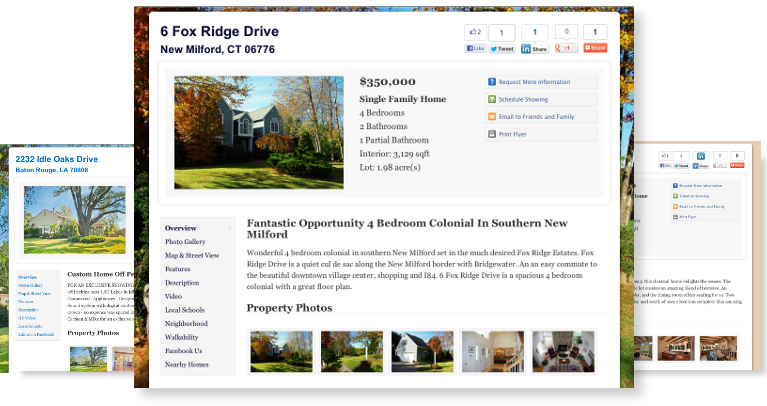
Create unlimited single property websites for your listings with advanced presentation features.
Market your active properties or create private websites before meeting prospective sellers. Win more listings. There are no limitations:
unlimited listings, unlimited photos, unlimited videos and description.
|
Unlimited photos, great looking slideshows
|
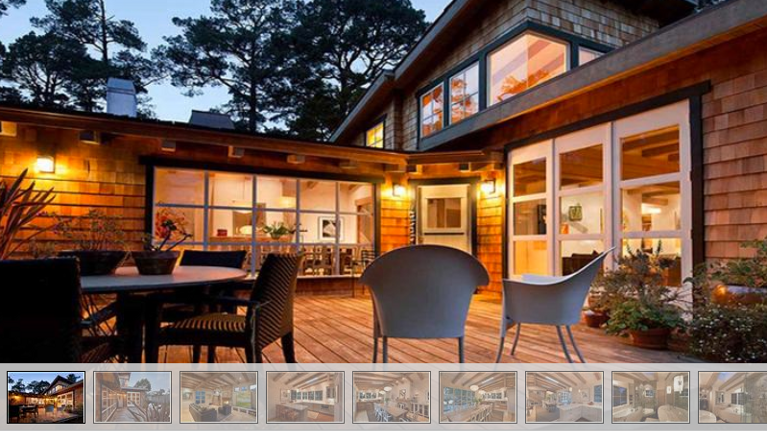
RealBird is one of the very few services to provide unlimited photo upload
capability.
Upload any number of large size, high resolution photos and the automatic
slideshow building tool lets you create virtual presentation in minutes.
|
Unlimited description with WYSWYG editor
|
Describe your property in great details or summarize the main features only.
It's up to you. The description editor allows you to copy and paste text from
other property documents including your MLS property sheet or PDF flyer while
maintaining all the document formatting. The editor also allows you to paste
images and multimedia or links into your description: you have full control
over the visual presentation of the description.
Tip: Adding property description is not only important to inform your
prospective buyers, but greatly helps search engine optimization. Your RSS feed
will also contain this description, thus making it more appealing for your
RSS subscribers.
|
Supports any type of multimedia: video, slideshows, widgets
|
You can embed multimedia, online documents, slideshows, panorama virtual tours
or any 3rd party widgets into your listing website with a simple copy and paste
operation. You may also embed multiple multimedia widgets with captions and
descriptions. How about several videos per property flyer? Or neighborhood
videos or 3rd party user generated content to enhance your property
description? It's all doable and takes only minutes.
|
Unlimited design options
|
The Listing Publisher gives you unlimited options to match the color theme of
your existing sites or to create eye-catching backdrops for your flyers. Set
any solid background color, create color gradient background with colors of you
choice, a large image or tile your corporate logo or message in the background.
Between these four main options, you can have a completely custom look and
feel. Let your property website stand out from the crowd.
|
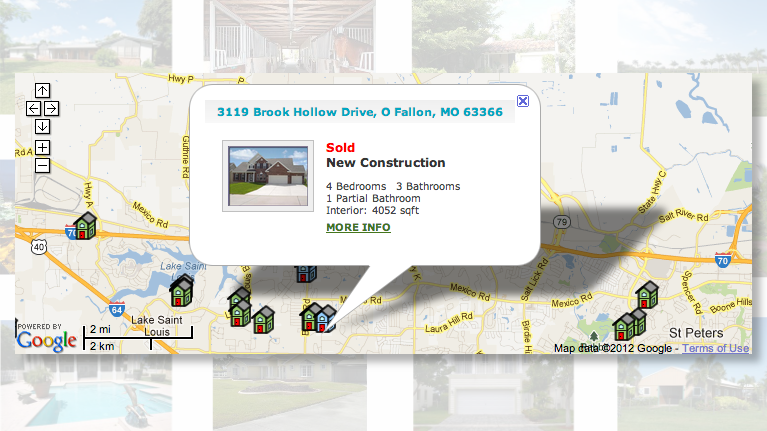
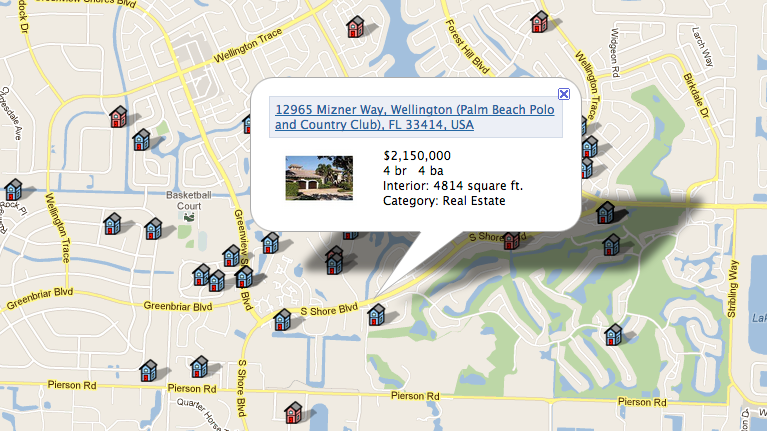
Maps, maps and more maps
|
The property presentation is as much about the surrounding area of the
listing as it is about the interior. Street maps, aerial photos,
topographic maps and 3D flyovers are all part of your showcase.
Visitors can also get driving directions, real-time traffic information and
local coupons. Even better, all driving directions printed via your website
will have your photo and contact information in the header. All this
information is branded with your photo or logo and your contact information.
|
Describe the neighborhood
|
Would you like to tell more about the location? Describe the neighborhood on
your property website. Copy and paste census data or local business directory
from other sources or write an introduction about attractions and neighborhood
facts.
Tip: Just like with the property description, introduction to the
neighborhood helps not only visitors, but also search engines and
organic traffic generation. In many instances, visitors arrive to your property
website via search engines due to the high relevancy the neighborhood info
represents.
|
We play nicely with 3rd party services and websites
The RealBird Listing Publisher lets you link to your other virtual tours, MLS
details pages, corporate website to provide even more information.
Capture leads and convert them to in-house prospects
Market your open houses
You can post your open house dates on your property website to invite visitors
to join the "real world" tour. Just simply add the dates and your flyer will
advertise the open house days. Use this feature to convert online prospects to
in-house leads.
Branding and channeling leads
While buyers' foremost interest are in the properties itself, we make it
easy for them to get to know you too. Every property website is branded with
your photo, your contact information and links to your other sites including
your main website, MLS search and blogs. Links to your other listings and
latest blog posts can make your expertise shine, helping you with building
your brand.
Cross-marketing
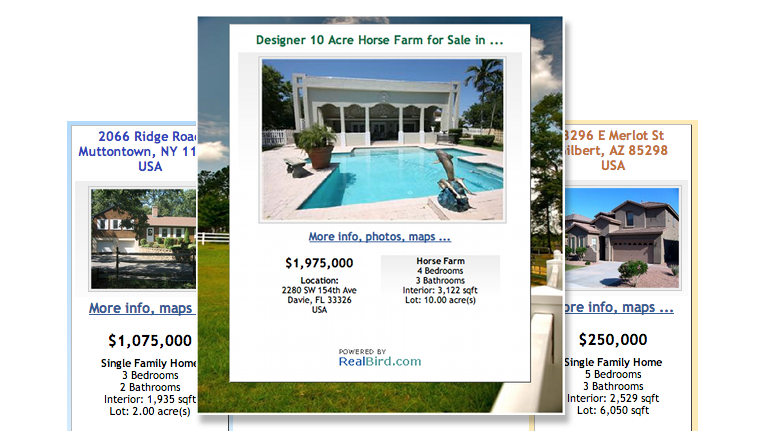
Cross-marketing is a powerful technique to promote your other properties and
blog posts on your property website and to market your featured listings on
your website and blog via the RealBird widgets. The RealBird Listing Publisher
lets you add your blog RSS feed to your flyer and you can decide, based on your
seller's preference, whether you also want to show your other listings on the
flyer.
Viral marketing
|
Visitors and you can use social bookmarking services to save and share the
listing websites. Forwarding to friends, family or prospects is easy and
encourages viral marketing.
|
Search engine optimization for organic traffic from search engines
Tag your properties
Tags are keywords you can attach to your properties. Typically, these are the
main features you want to emphasize. Besides giving your visitors a summary
overview of the property features, tags are also effectively used in search
engine optimization, as they become your keywords. They are also used in your
RSS feed as so-called "categories", and classified sites such as Edgeio.com
will use them as part of the search criteria for users to filter by.
Tricks behind the curtain
The entire Listing Publisher service was designed from the ground up to provide
stunning presentations for real-word prospects, while providing advanced
optimization for search engines and other technologies. We applied a lot of
best practices to achieve search engine optimization. For you it means:
flexibility and powerful tools without any extra effort and complexities.
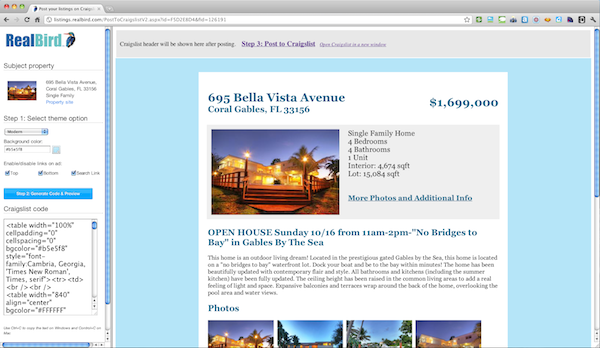
Syndicate your listings for maximum exposure
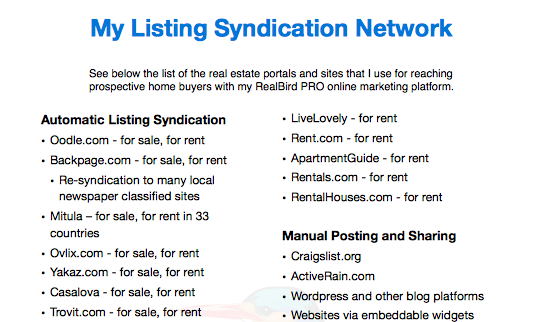
The RealBird Listing Publisher provides you with all the tools to
get maximum exposure for your listings. With our automatic distribution
platform you get your listings on major classified sites with zero effort. You
also get all the code to post to even more sites with very little effort and
the RealBird widgets
help you promote your listing sites on your website, blog and even on
ActiveRain.
Pricing? It's free
Yes, that is correct. RealBird Listing Publisher is a free service for
residential and commercial real estate agents and brokers.
There is NO ADVERTISING on your listing sites.